

Features
Build one glossary for the whole story
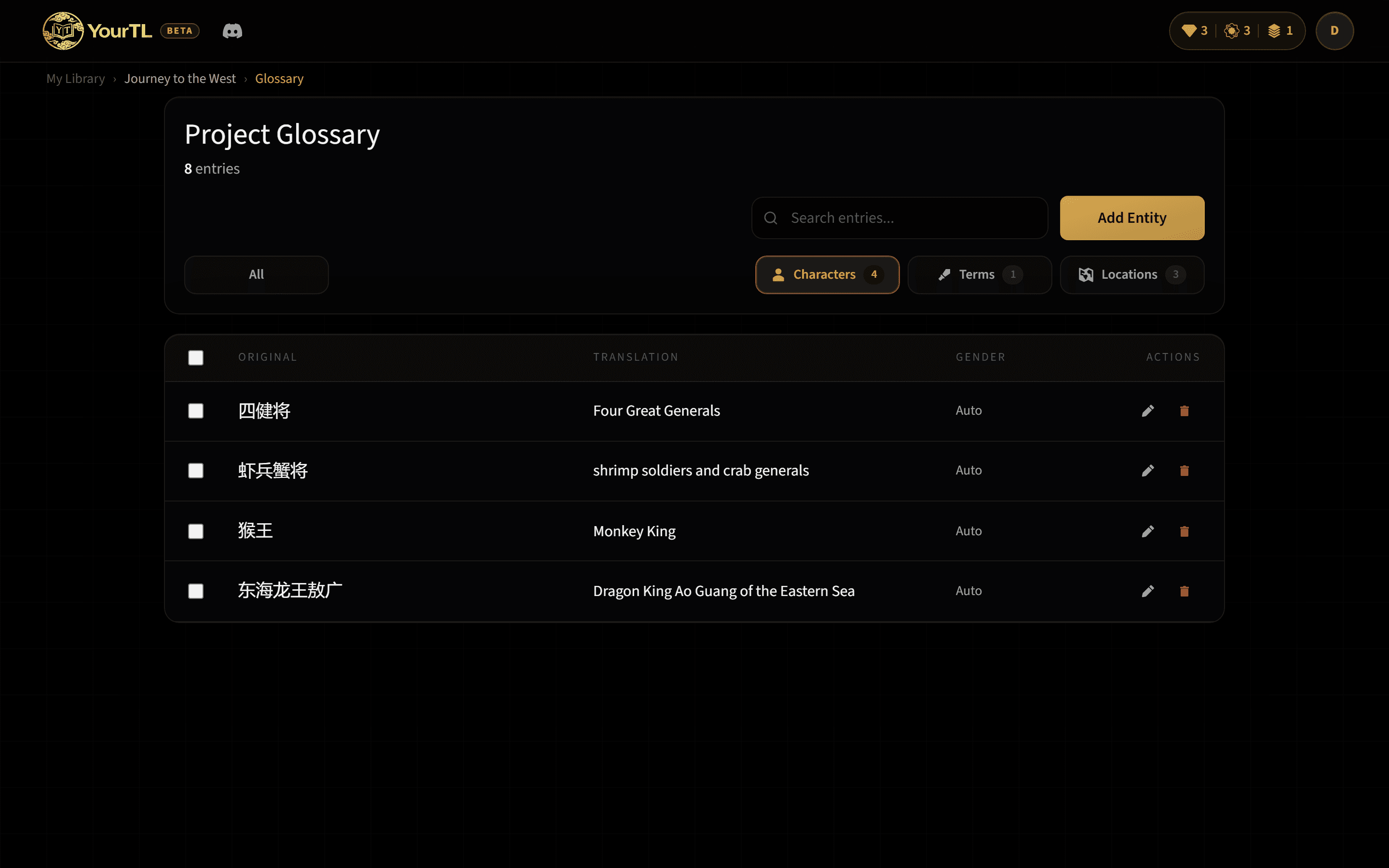
A project glossary turns your choices about names, world terms, locations, and character genders into shared translation guidance; the entries relevant to each chapter are included automatically.
What counts as an entity?
An entity is a recurring piece of the story's vocabulary. Characters are people whose names and pronouns need continuity. Terms include techniques, ranks, items, organizations, or other setting-specific language. Locations cover cities, sects, realms, and landmarks.
Each glossary entry connects the original source term to the translated name you want the project to use. Character entries can also store gender. When that character appears in a chapter, the stored gender guides pronoun choice in that translation.
How the glossary grows
1. Detect entities during import
When entity extraction is enabled, each imported chapter is scanned for characters, terms, and locations. New findings are synced into that project's glossary rather than living only in the current chapter.
2. Review the useful details
If pre-translation review is enabled, you can edit a detected entity's translated name and a character's gender before translation begins. The detected type and original source text remain visible so you know what you are reviewing.
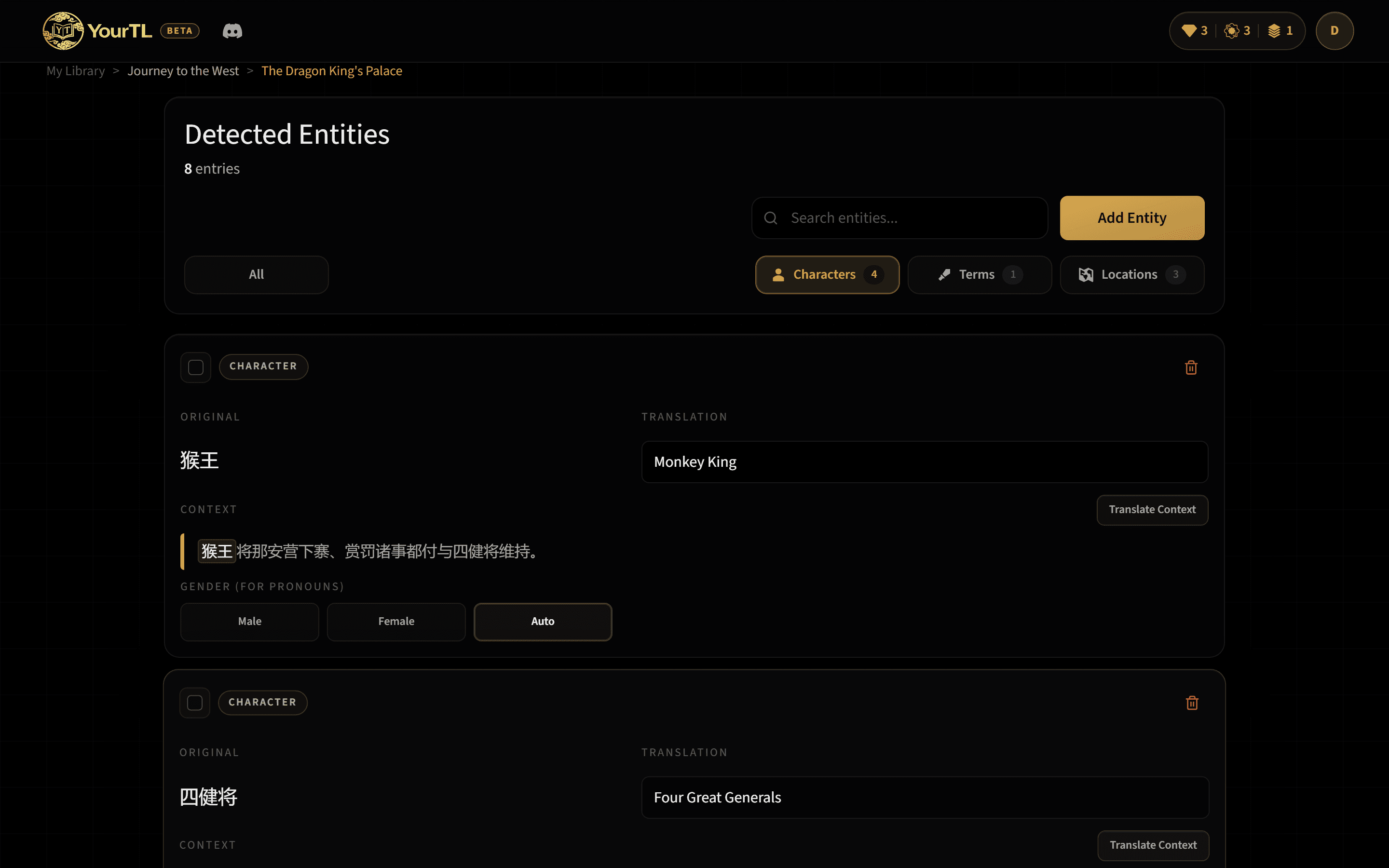
3. Apply it across the project
At translation time, the glossary entries relevant to the chapter are included automatically for normal translations, resumed translations, and AutoTL Next. Their source-to-translation mappings are passed in as project guidance, helping reduce name and term drift over a long series.
Edit entries after translation
Open the Glossary page from your account whenever a later chapter reveals a better reading or a character's correct gender. Existing entries let you update the translated name and, for character entries only, gender. When you add a new entry manually, you can choose its type and provide both the source and translated names.
The updated glossary is used by future chapter translations in the same project. It does not silently rewrite translations you already saved, so edit an earlier chapter directly if you also want its wording changed.
Recover a term that slipped through
The post-translation Recovery tool works from the translated chapter. Select a translated word, let the tool search the chapter context for its likely original source term, then review the result. If it is the recurring term you meant, add it to the glossary without leaving the reader.
Recovery is useful when an important technique, title, or nickname appeared in the output before it had a glossary entry. Once saved, that mapping joins the same project-wide glossary used for later chapters.
Genders and pronoun guidance
For the rest of the workflow, continue with the getting started guide or read about AutoTL Next and EPUB export.